

Firebase analytics associates traffic attributes, such as source, medium, and campaign, to conversion events. Therefore, defining the conversion event is a fundamental component of any digital analytics measurement plan for Firebase analytics.
Conversion events in Firebase analytics measure how well your app fulfills your target objectives. It represents a completed user activity that contributes to the success of your business. Examples of conversion events include making a purchase (buying a ticket) or adding events to a bookmark.
By default, the following events are set as conversion events:
first_openin_app_purchaseapp_store_subscription_convertapp_store_subscription_renewpurchase
Custom Conversion Events
We can also add our own events as conversion events which can allow us to measure how our marketing efforts contributed to important business goals.
To enable or disable an event as a conversion:
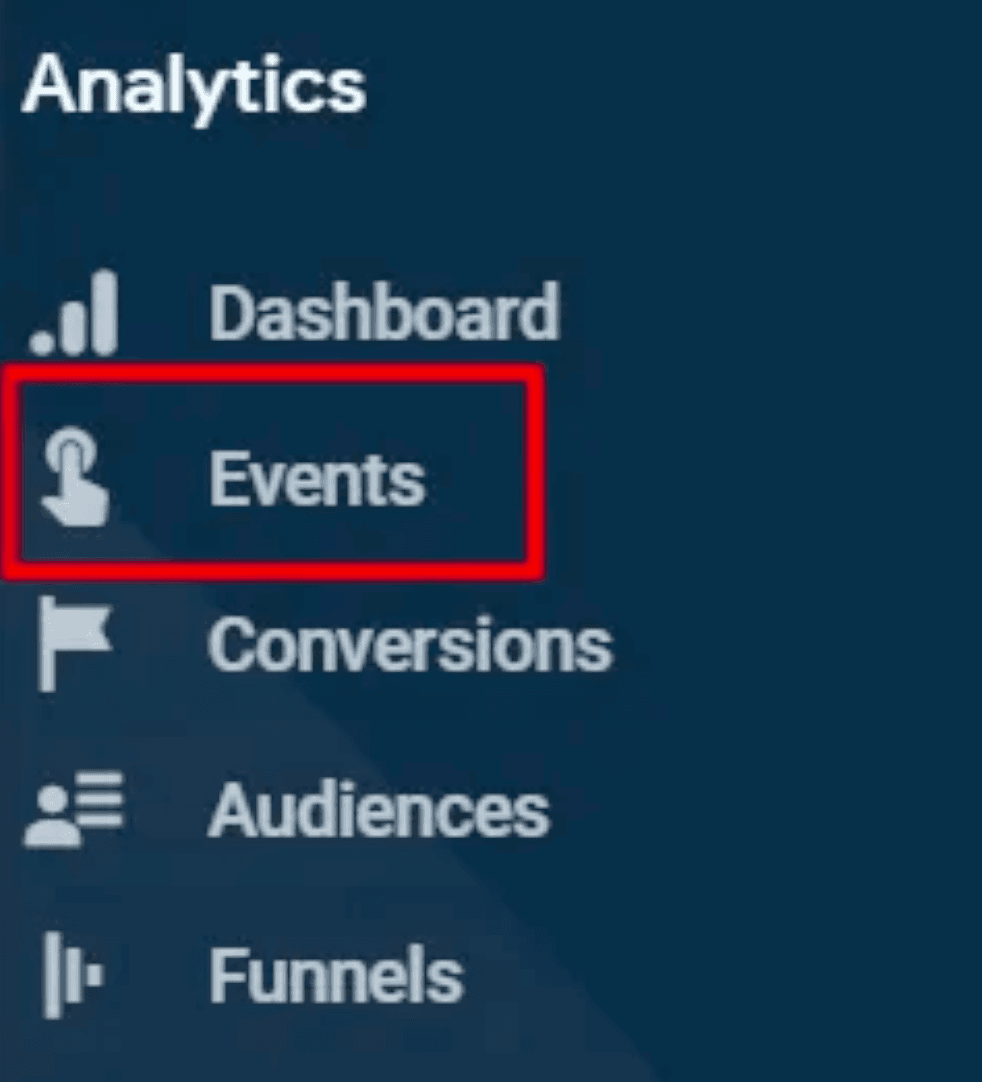
Go to the Events section under Analytics in the Firebase console.
Turn on the switch in the 'Mark as conversion' column in the row for the event that you want to set as the conversion event.
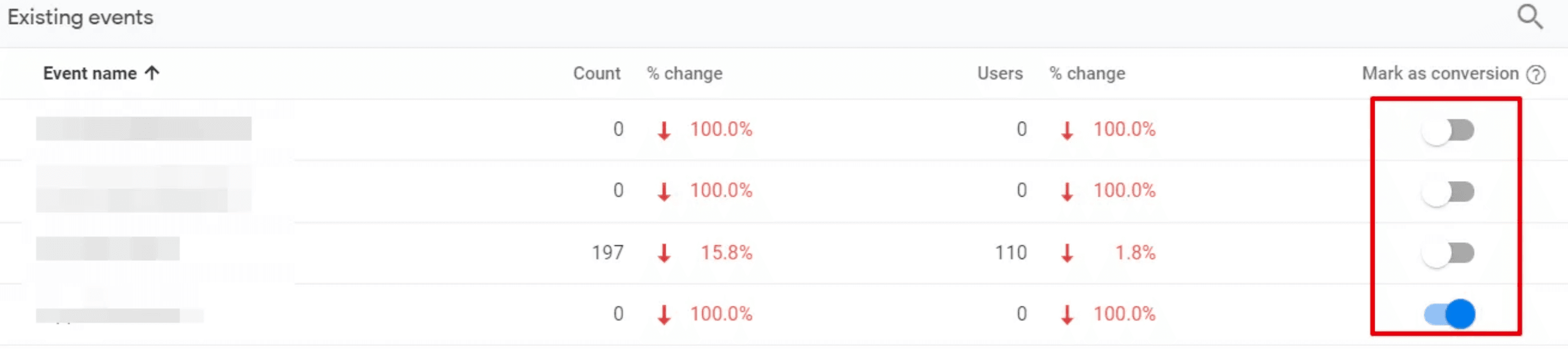
You can enable up to 30 events per project as conversions, in addition to the five that Firebase defines by default. Attribution information associated with an event is collected from the time of enablement forward.
Click on any one of your conversion events in the conversion section of the right panel to view the traffic sources given credit for those conversions. You'll see a trendline of how frequently that event has occurred, along with a traffic source breakdown below it.
The Attribution Models
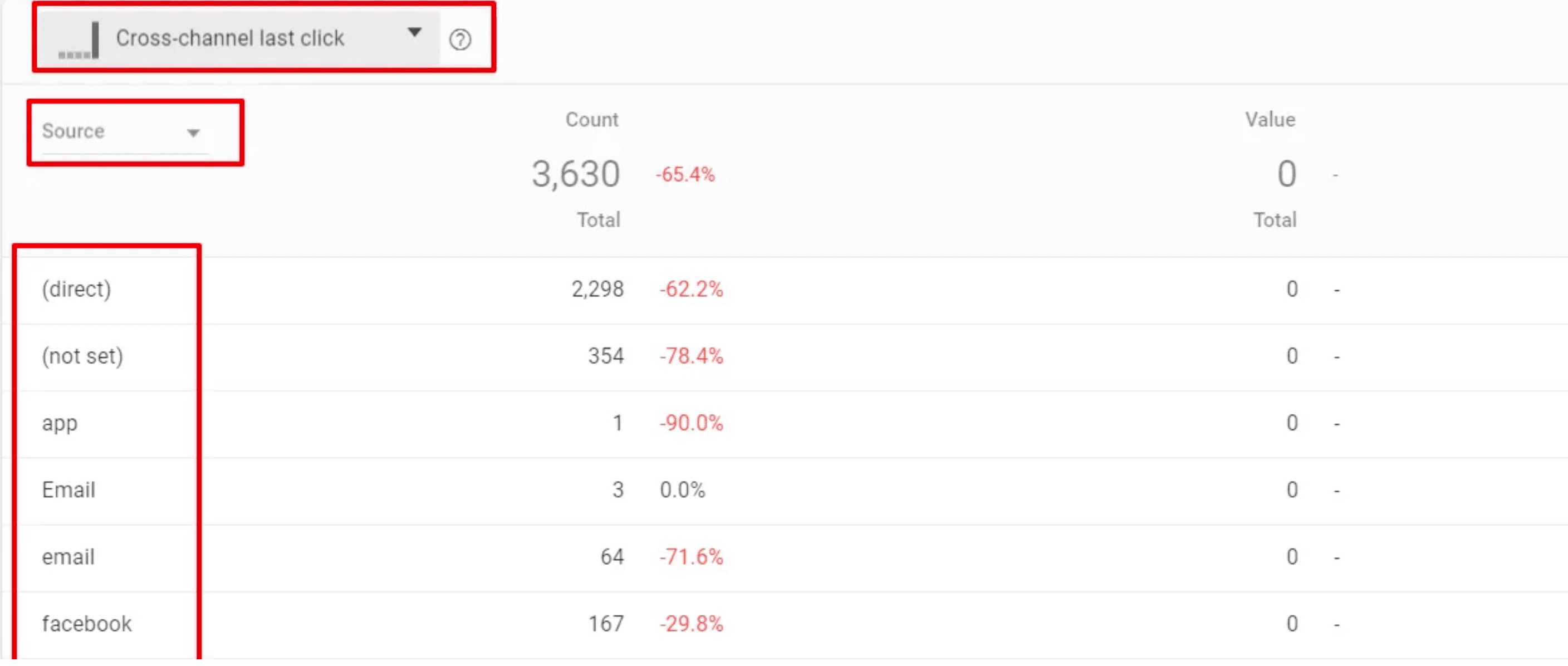
Attribution models are a set of rules that define which marketing activity gets credited for the conversion. The following attribution models are used to attribute the traffic source to the conversion events.
Firebase looks at clicks from all sources and attributes the conversion to the last click (excluding direct).
Firebase attributes the conversion to the last click, or to an ad impression if there is no recent click (excluding direct).
Firebase attributes the conversion to Google Ads whether or not there is a click from another source (excluding direct).
Firebase attributes the conversion to Google Ads whether or not there is a click or ad impression from another source (excluding direct).
All attribution models in Firebase exclude direct visits from receiving attribution credit unless a conversion cannot be attributed to any campaigns.
In addition to choosing an attribution model, you can also choose to see the origin of the events by Source, Medium, and Campaign, Network, Adgroup, and Creative.
Campaign Type in Firebase Analytics
Every marketing effort is targeted toward either making users download the application or re-engage them for an important business action. That is, an install-campaign or a re-engagement campaign.
Install Campaigns
The goal of an install campaign is to drive new installations of your app. Users who do not already have your app on their device are targeted and routed to the appropriate app store to download and install the app.
The attribution window for install campaigns is 30 days, and it is based on the first_open event, tracked by Firebase automatically.
If a first_open event is attributed to a campaign, then all other conversion events moving forward are attributed to that same campaign until the attribution period expires in one year. The attribution window is renewed for one year with each subsequent conversion that occurs before expiration.
Note: You cannot adjust attribution windows in Firebase.
Re-Engagement Campaigns
Re-engagement campaigns are designed to encourage customers to continue using your app after they have installed it. A conversion from a re-engagement campaign gets attributed twice:
- One to the campaign that got credit for the
first_openevent. - Second to the re-engagement campaign.
Re-engagement campaigns can also send the user to specific screens of the application, to show them certain promotions or cross-sell them products using dynamic links. We can easily create dynamic links in the Firebase console.
Traffic Sources & Channels
Unlike Google Analytics, the Analytics console in Firebase doesn't have channel grouping. Instead, source, medium, and campaign values are stored and viewed directly in Firebase conversion reports. Following are some of the common source mediums you will find in Firebase analytics:
These are for campaign-less traffic that has not been associated with any campaign data. This happens when Firebase can't recognize the source, such as Apple Search organic links or untagged URLs.
Appears when a user is sent to the Play Store via a link that specified a referrer or found the app organically by searching on the Google Play Store.
If an app is installed as the result of a click on an Apple Search Ad. (Note: You must add the iAd framework to the Xcode project).
If any of the values of source medium, campaign, ad-network type, or creative is missing, analytics will show (not set).
Campaign Traffic Information

Firebase can automatically capture traffic from only a limited number of sources. Everything else lands in Direct / None. The old fix was to carry UTMs into the app with Firebase Dynamic Links and read them at runtime with getDynamicLink() — but that path no longer exists.
Google shut down Firebase Dynamic Links on August 25, 2025. Any attribution flow built on getDynamicLink() is dead, so the UTMs have to reach Firebase another way. See the official deprecation FAQ.
There are two reliable ways to attribute traffic for all sources today. Which one fits depends on whether you already run a mobile measurement partner (MMP).
Option 1. Route your MMP attribution into GA4 / Firebase
If you already use an MMP (AppsFlyer, Adjust, Singular), the cleanest path is to let it forward attributed installs and events straight into your Firebase project. Firebase Analytics is a GA4 property, so once the two are connected, media source, medium, and campaign show up alongside your conversion events — for every source the MMP resolves, not just the handful Firebase handles on its own.
In the MMP dashboard, turn on the Google Analytics for Firebase integrated partner and point it at your app.
Copy mobilesdk_app_id from google-services.json (Android) or GOOGLE_APP_ID from GoogleService-Info.plist (iOS) into the integration so the MMP knows which project to write to.
Read the GA4 / Firebase app instance ID in the app and hand it to the MMP so its events attach to the same user in Firebase.
// 1. Read the GA4 / Firebase app instance id
FirebaseAnalytics.getInstance(context).appInstanceId
    .addOnSuccessListener { appInstanceId ->
        // 2. Hand it to your MMP so its events attach to the same GA4 user.
        //    (exact call per your MMP's Firebase integration guide)
        AppsFlyerLib.getInstance()
            .setAdditionalData(hashMapOf("firebase_app_instance_id" to appInstanceId))
    }
Store these somewhere you can reuse across environments — you'll need them again for CI, iOS, and any Measurement Protocol calls:
mobilesdk_app_id / GOOGLE_APP_ID — identifies the destination Firebase project.
Needed only if your MMP sends events via the GA4 Measurement Protocol instead of the native integration.
Your account key plus the store / bundle ID the MMP tracks.
Note: How much of this data actually flows through depends on each partner's data-sharing policy. Self-attributing networks like Meta, Google, and TikTok restrict how granular the attribution they share with third parties can be, so some campaigns will arrive aggregated — or not at all — even when the integration is set up correctly.
Option 2. Capture UTMs with OneLink and push them to Firebase yourself
Every major MMP offers the same building block — a deep-linking product plus an SDK callback that hands you the attribution data: AppsFlyer has OneLink, Adjust has Adjust Links, Singular has Singular Links, and Branch has Branch Deep Links. The mechanics below are identical whichever you use; we'll walk through it with AppsFlyer OneLink.
This is the closest replacement for the old Dynamic Links flow, and the right fit when you want to own the event that carries the UTMs. AppsFlyer's OneLink takes over the deep-linking job Dynamic Links used to do; the AppsFlyer SDK hands you the attribution data, and you log it to Firebase exactly like before.
In AppsFlyer, create a OneLink and map utm_source, utm_medium, and utm_campaign onto it (as attribution params or custom deep_link_sub values). Use these links everywhere you used to use Dynamic Links.
Implement the OneLink deep-link listener for click-throughs, and the conversion listener for deferred (post-install) attribution.
Pull source / medium / campaign out of the callback and send them as event parameters — the same campaign_details event, now fed by AppsFlyer instead of getDynamicLink().
// Direct deep link — user tapped a OneLink
AppsFlyerLib.getInstance().subscribeForDeepLink(object : DeepLinkListener {
    override fun onDeepLinking(result: DeepLinkResult) {
        if (result.status != DeepLinkResult.Status.FOUND) return
        val dl = result.deepLink
        val params = Bundle().apply {
            putString(FirebaseAnalytics.Param.SOURCE,   dl.getStringValue("utm_source"))
            putString(FirebaseAnalytics.Param.MEDIUM,   dl.getStringValue("utm_medium"))
            putString(FirebaseAnalytics.Param.CAMPAIGN, dl.getStringValue("utm_campaign"))
        }
        firebaseAnalytics.logEvent("campaign_details", params)
    }
})

// Deferred deep link / install attribution
AppsFlyerLib.getInstance().init(DEV_KEY, object : AppsFlyerConversionListener {
    override fun onConversionDataSuccess(data: MutableMap<String, Any>) {
        val params = Bundle().apply {
            putString(FirebaseAnalytics.Param.SOURCE,   data["media_source"] as? String)
            putString(FirebaseAnalytics.Param.CAMPAIGN, data["campaign"] as? String)
        }
        firebaseAnalytics.logEvent("campaign_details", params)
    }
    override fun onConversionDataFail(error: String?) {}
    override fun onAppOpenAttribution(data: MutableMap<String, String>?) {}
    override fun onAttributionFailure(error: String?) {}
}, context)
AppsFlyerLib.getInstance().start(context)
Worth bookmarking: the AppsFlyer OneLink docs for building the links, and the AppsFlyer SDK deep-linking guide for the conversion and deep-link listeners.
Getting this wired up cleanly — mapping UTMs onto OneLink, matching users across click and install, and not double-firing campaign_details — is where most setups quietly break. If you'd rather have it done right the first time, we can set it up for you.
End Node
How traffic is attributed in any analytics platform is key to understanding how users get to our application. Conversion events in Firebase analytics help to store and analyze traffic sources. Hence, conversion events that are important to the business should be turned on to understand marketing efforts for that conversion.
Also, Firebase itself doesn't track traffic attributes from unknown sources. However, we can send the UTM parameters as event parameters to capture traffic attributes from unknown sources. Doing so not only lets us monitor known traffic but also allows us to monitor unknown traffic sources in our analytics solution.