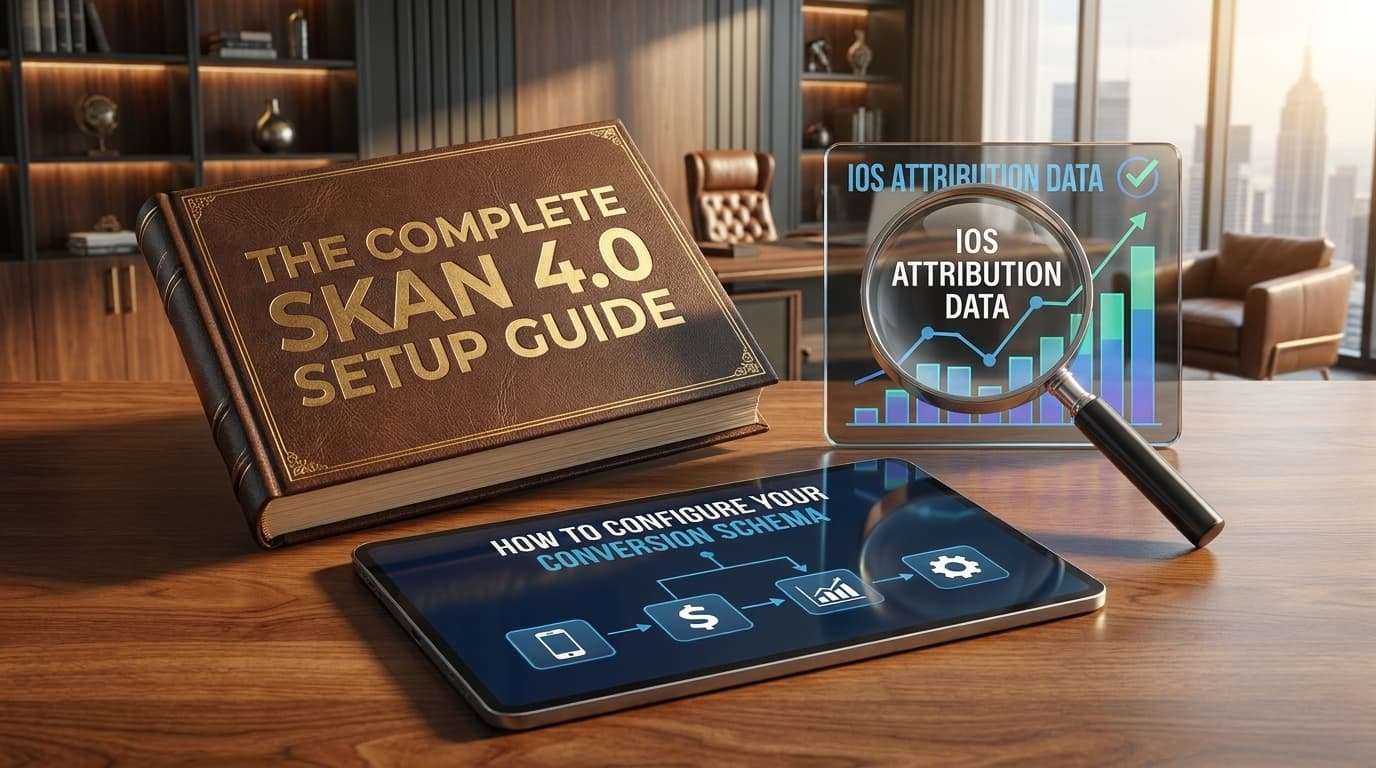
Most teams set up an MMP and assume iOS is covered. It isn't. They're still missing 40% to 60% of their iOS data, and the reason is almost always the same: SKAN was either never set up, or set up badly. Follow this guide and you'll capture the maximum amount of data available from your non-consented iOS users.
What Is SKAN 4.0?
SKAdNetwork (SKAN) is Apple's privacy-preserving attribution framework for iOS. Instead of sharing user-level identifiers, it sends aggregated postbacks, signals from Apple to your ad network and MMP, after a measurement timer fires.
SKAN 4.0, launched with iOS 16.1, introduced three meaningful upgrades:
Fine-grained values (0–63) in the first postback, plus coarse values (low / medium / high) in the second and third. More signal per install, more cohort granularity.
Measurement windows covering D0–D2, D3–D7, and D8–D35. You can now track early, mid, and late-cycle conversion behaviour from the same install cohort.
You can explicitly close a conversion window once you've captured the signal you need, rather than waiting for the default timer to expire.
The quality of your SKAN data is entirely determined by how you design your conversion schema. The framework is just a container. What you map inside it determines whether your iOS data is useful or noise.
Why iOS Attribution Is Different Now
Since Apple's ATT framework rolled out, around 60–70% of iOS users do not consent to cross-app tracking. For those users, your MMP receives no IDFA. No device-level identifier to match installs back to ad clicks.
That opt-in rate is not fixed. Prompt timing, pre-permission priming and the copy you use around it can all push ATT consent higher, and it's worth doing. But even with a well-run prompt strategy, you're still going to be relying on SKAN for 50% to 60% of your users. That half of your traffic is only as measurable as your schema makes it.
That doesn't mean you have no data on those users. SKAN is the channel that carries it. But it only carries what your conversion schema encodes, so if the schema isn't calibrated to how your app monetises, that half of your traffic is effectively invisible to your ad networks.
Many teams configure SKAN once at launch and never revisit it. Six months later they're sending engagement signals, tutorial completions, session starts, to ad networks that need revenue signals to optimise spend effectively.
Designing Your Conversion Schema
SKAN 4.0's first postback gives you a 6-bit fine-grained conversion value, 64 possible states (0–63) to represent whatever in-app behaviour matters most to your business. The second and third postbacks use coarse values (low / medium / high).
Start with the objective
The objective of a conversion schema is to get the maximum amount of data out of SKAN. Every value you leave unmapped is signal you never get back, because SKAN gives you one shot per window and no way to backfill.
That matters for two reasons. First, your campaigns need the right amount of signal. Ad networks bid against the conversion values you send them, so a thin schema produces a thin bidding model. Second, you need it for performance measurement and reporting. Whatever isn't encoded in the schema simply does not exist in your iOS numbers later.
Which events belong in the schema
Keeping that objective in mind, the question to ask is: what are the key events that must be in this schema?
For subscription apps, those are generally complete registration, trial started and subscribe. For ecommerce, they sit mostly around purchases: first purchase, second purchase and so on. For mobile games, you map either for ROAS calculation or for player engagement, such as reaching a given level.
Depending on your needs you can also fit your full funnel in here. The events above are the floor, not the ceiling.
How to design each window
Below is a general direction for how each window should be designed. It's a generalised list that will work most of the time, but the actual schema depends on your immediate goals, what you're optimising for, and how users behave in your app.
Subscription apps
For the fine value in window 1, simply add all your key events plus revenue buckets, then decide what to prioritise inside the 64 states you have.
For the coarse value in window 1, you can map complete registration to low, trial started to medium and subscribe to high. If subscriptions rarely occur during window 1 in your app, shift everything up: use paywall view or another high-intent event for medium, and trial started for high.
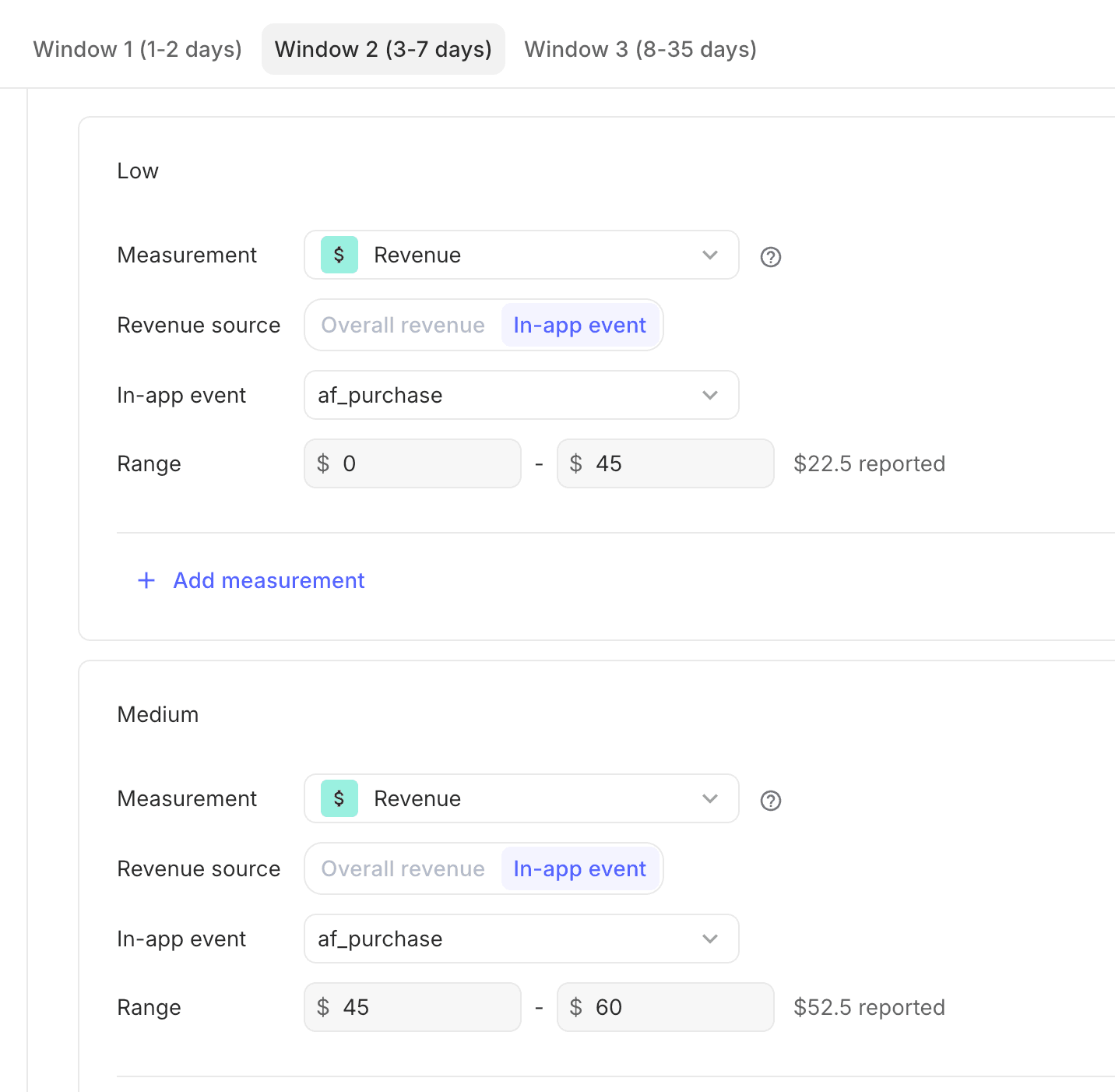
For windows 2 and 3, a login or session event works for low, subscribe with a low revenue range for medium (assuming it happens in the window 2 period), and subscribe with a high revenue range for high.

Ecommerce apps
Ecommerce is comparatively straightforward. Since you're mostly concerned with purchases, you can put purchase events in every slot and use revenue ranges to bucket users into low, medium and high.
For the fine value, add purchases with revenue ranges, the ecommerce funnel (view, add to cart, checkout, purchase), or both.
Mobile games
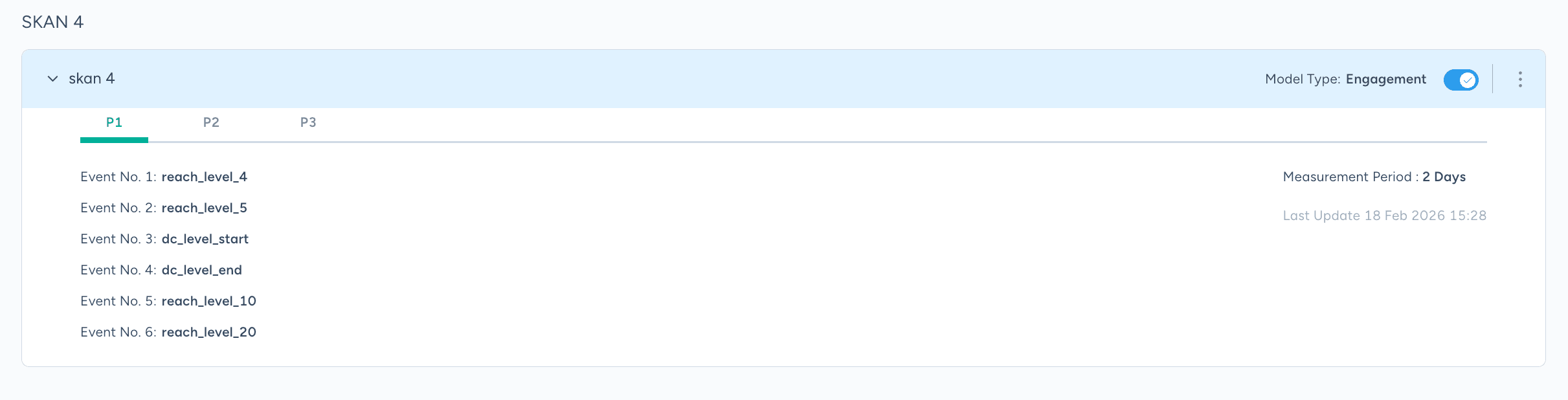
If you're optimising for engagement then you have to be tracking that event in the first place. reached_level_10, for example, and then mapped into your windows.
What matters most here is doing the analysis of your own user behaviour, using your product analytics setup, to understand the play cycle inside each SKAN window. If the majority of your users reach level 10 within a day of install, there's no point adding that event to window 2. It will fire for almost everyone and separate nobody.
Feel free to reach out if you have any questions about mapping this for your own app.
Configuring Your MMP for SKAN 4.0
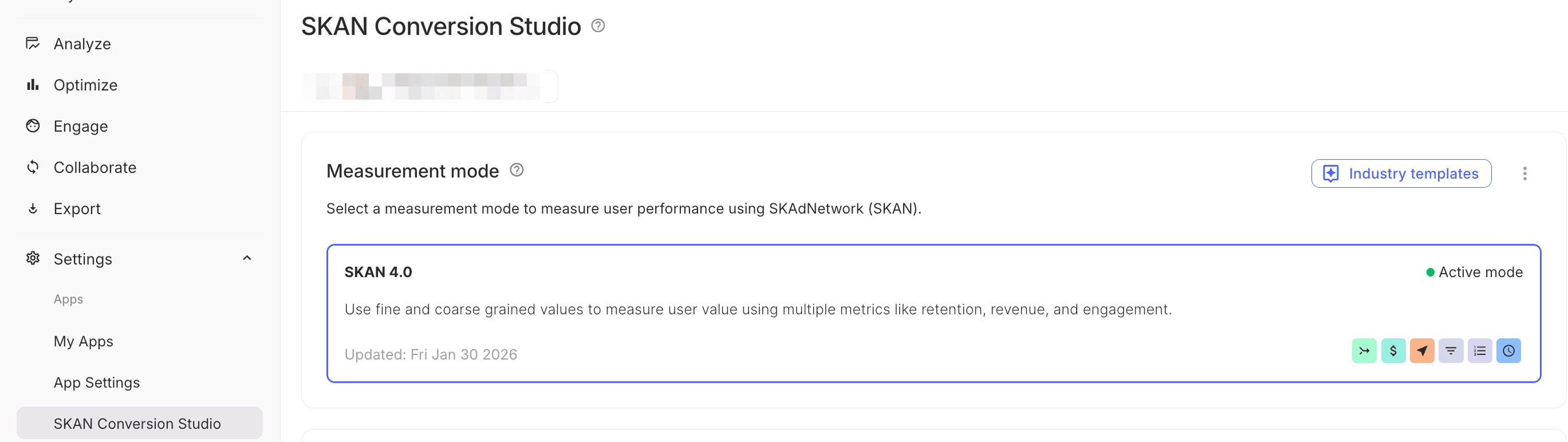
Once your schema is designed, you enter it in your MMP. In AppsFlyer, go to Settings > SKAN Conversion Studio (Adjust, Branch and Singular each have their own equivalent) and enter your conversion value map there.
Each value (0–63) gets a name, an event type, and the revenue range or event name it represents. This is the reference your MMP uses to decode incoming postbacks. Get it wrong here and every SKAN report downstream is wrong.
SKAN Settings for Different Ad Channels
Once the schema is mapped in your MMP, the next step is mapping it on the ad channel side so the two stay in sync. A schema that only exists in your MMP doesn't help the networks bid.
Google Ads
Nothing to do here. Just make sure SKAN is connected in your integration settings for Google.
Meta
Meta reads your schema from a connection URL your MMP generates, so there's no manual mapping, just four steps to wire the two together.
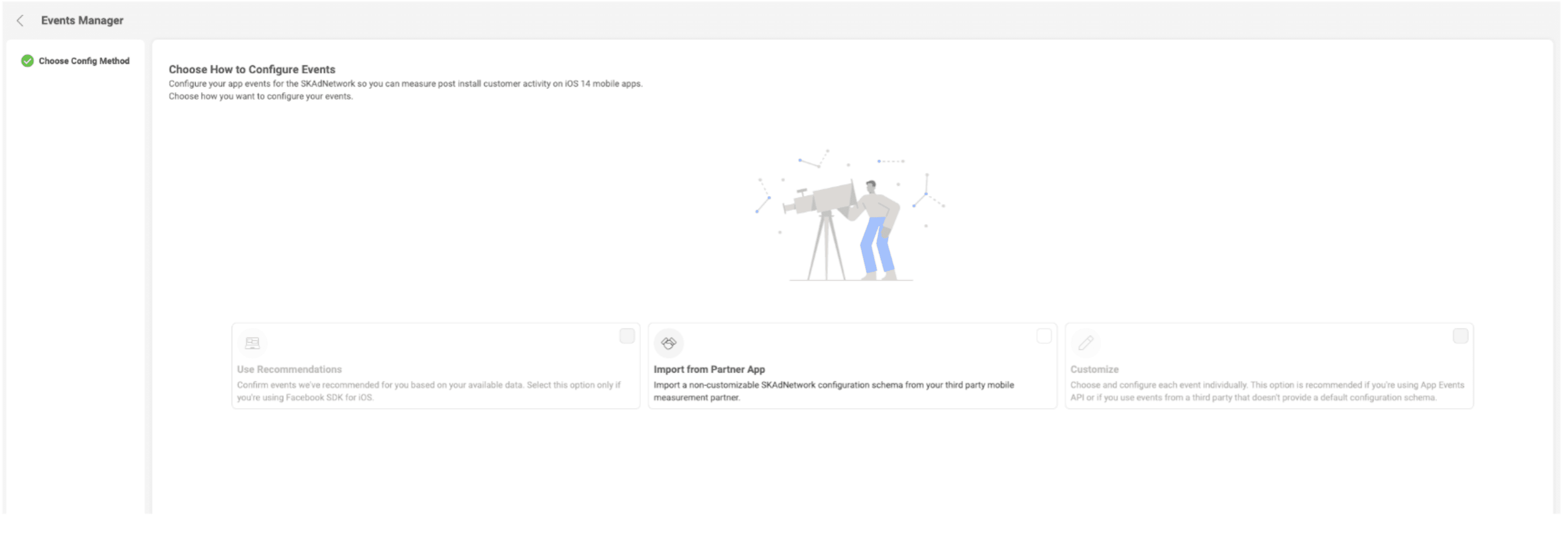
In your Meta app dataset, go to Settings, find Apple's SKAdNetwork, and click Edit events.

In AppsFlyer, open the iOS integration settings for Meta and copy the connection URL.
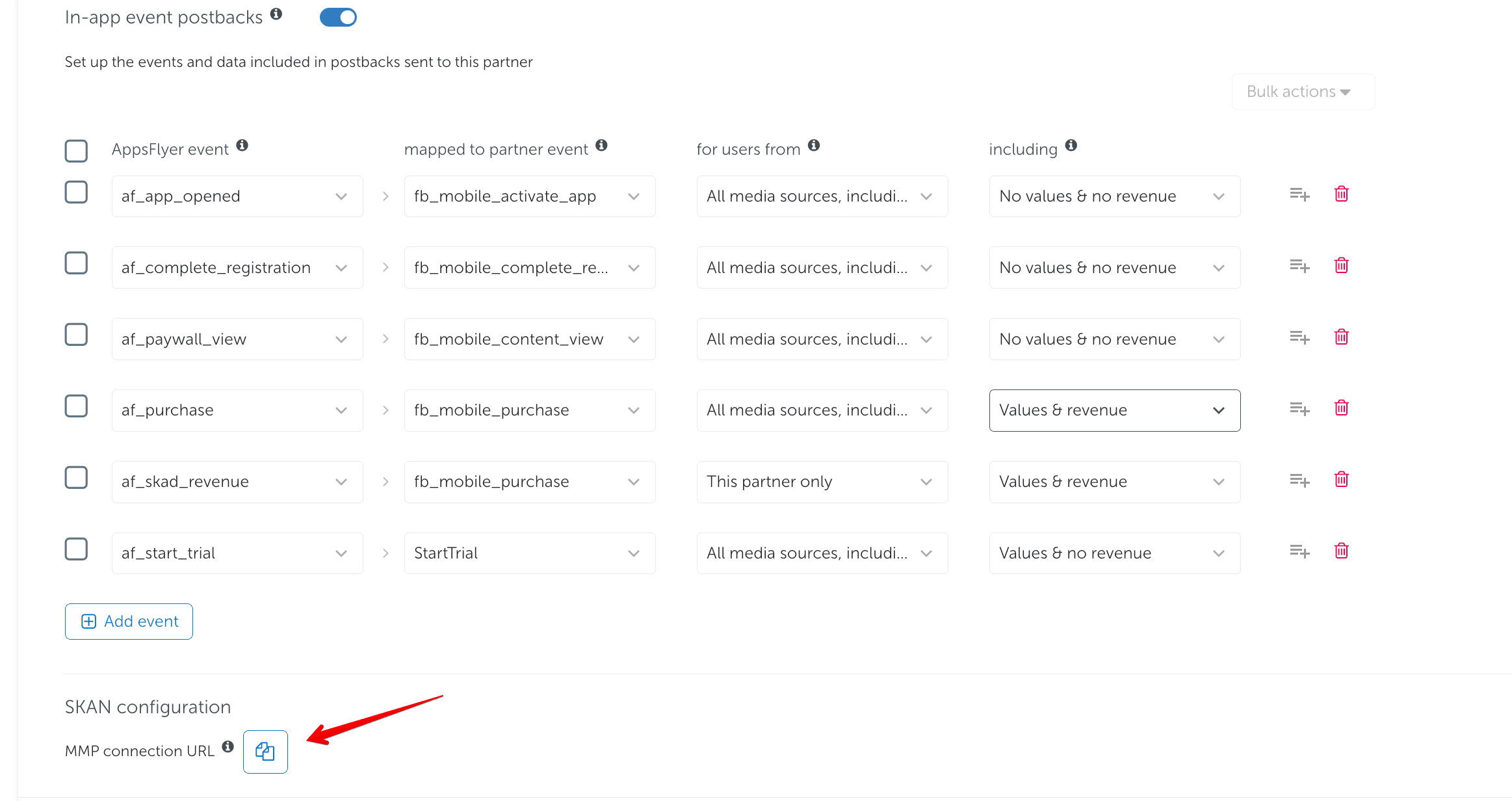
Select "Import from Partner App" and drop the URL into box that appears and hit Apply.
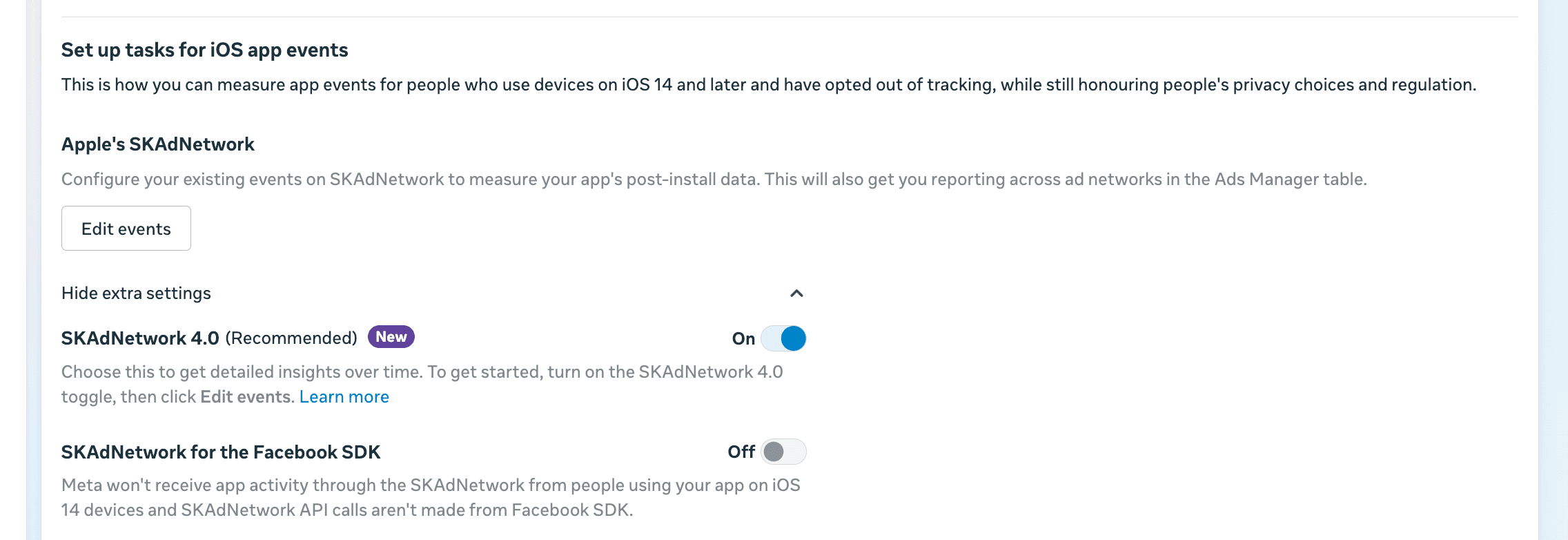
Back in the app dataset settings, confirm SKAdNetwork 4.0 is enabled.
TikTok
TikTok doesn't let you pull the schema directly from your MMP, so everything has to be set up manually. Go to Dataset > iOS > Configure SKAN and do the mapping manually there.
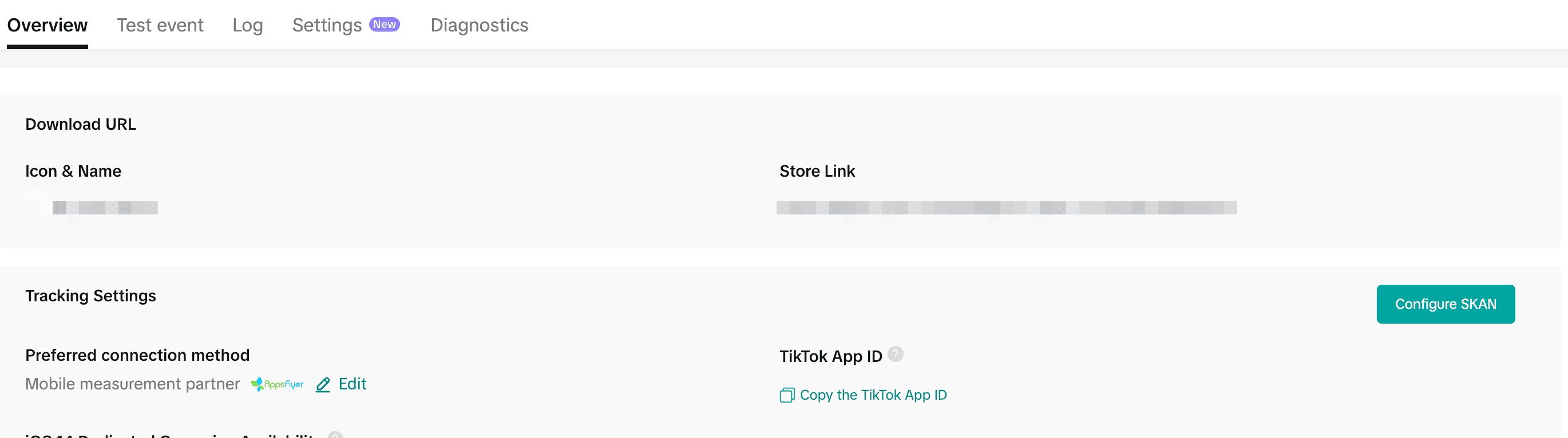
TikTok only allows standard event mapping, so you're limited in what you can express. Make sure the conversion values you enter line up exactly with your MMP schema, or your TikTok SKAN reporting will silently drift out of sync with every other channel.
5 Common Mistakes That Break SKAN
Session starts and tutorial completions don't tell your ad network which users are worth paying for. Your schema should reflect monetisation, not activity.
If you set a campaign to bid on an event your conversion schema never encodes, SKAN has no way to report on it. The network keeps optimising against whatever value it does receive, so your campaign objective and your measurement signal quietly drift apart. Every event you optimise toward needs a slot in the schema first.
Locking too early means missing revenue that arrives later in the window. Too late, and your signal reaches the network stale. After bidding models have already moved on.
The D3–D7 and D8–D35 coarse values are often where your highest-LTV users show their first clear purchase signal. Discarding them means optimising on incomplete cohort data.
Mid-flight schema changes create a blend of old and new value definitions in your reports. The resulting data is uninterpretable. Always time schema changes to campaign resets and log the exact date.
What Clean SKAN Data Actually Looks Like
When SKAN is configured correctly, your MMP dashboard shows conversion value distributions that actually reflect how users monetise. You'll see spread across your revenue buckets. Not a pile-up at value 0. Your D7 SKAN ROAS will begin to reconcile with your actual revenue data within a defensible margin.
More importantly, your ad networks start receiving signals they can actually optimise toward. The better your schema, the better their models, the lower your cost per high-value user.
SKAN 4.0 is not a checkbox. It's a measurement system you design around your business. Design it well, and it becomes a genuine competitive advantage.